
Loop Crash - Play Free Online Arcade Driving Game
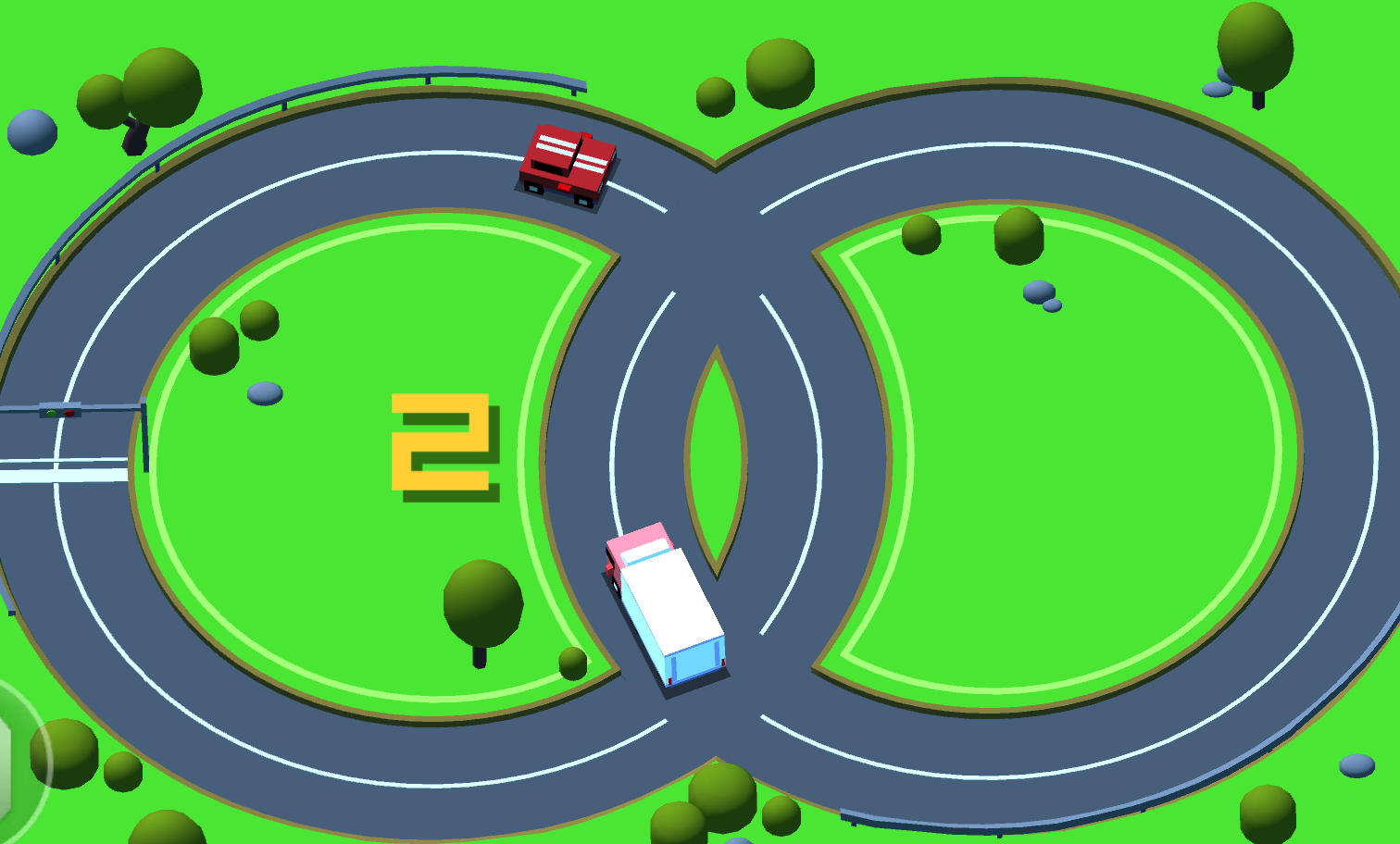
Loop Crash is a minimalist arcade driving game where your car follows a circular road automatically. Your job is to manage its speed, leave room for other vehicles and finish as many loops as possible without a collision. Each completed lap adds points, while growing traffic makes the next safe gap harder to judge. One crash ends the run. Play free in your browser on Block Breaker Online and see how long careful timing can keep you on the road.
How to Play Loop Crash
Loop Crash Keyboard Controls
Use Up Arrow to control your car's movement and speed as it follows the looped road. Press R to restart after a crash. Start the game with the Play button, then use the keyboard controls to manage your run.
Loop Crash Scoring and Survival
Complete full loops to earn points while avoiding every other vehicle. Keep the run going as traffic increases and try to beat your previous score. A single collision ends the attempt.
Tips to Survive More Loops
- -Adjust your speed to the available space instead of accelerating constantly.
- -Watch the cars ahead and how quickly the gaps between vehicles are changing.
- -Leave a comfortable margin rather than trying to squeeze through a tight opening.
- -Make your next speed adjustment early so a close call does not force a sudden reaction.
- -After a crash, identify the closing gap you missed before pressing R for another attempt.
Loop Crash Gameplay: Laps, Traffic and Scoring
The road keeps your car on its circular route, leaving you to focus on speed and timing. Points come from completing full loops. Other vehicles move at different speeds, so an opening that looks safe now may be smaller by the time your car reaches it.
As a run continues, more traffic reduces the space available. Plan for the next encounter while you still have room to adjust. The aim is to keep completing laps without contact; reaching a gap quickly only helps when that gap remains clear.
Loop Crash Speed Control and Safer Gaps
Watch the relationship between your car and nearby traffic. If the distance is closing, consider your speed before the vehicles meet. A steady rhythm is useful, but changing traffic means you cannot rely on the same input for every lap.
After a near miss, return your attention to the next car rather than rushing to make up time. Keeping a wider margin gives you more time to read the road and decide when to change speed. Practice this on early laps, then carry the same habit into busier runs.
Loop Crash Short Runs and High-Score Practice
A collision ends the current run, and R starts another attempt. Use that quick restart to test a specific improvement, such as noticing a slower car sooner or leaving more space before a close encounter. With no upgrades or shortcuts to rely on, progress comes from reading traffic and managing your timing more consistently.
More Driving and Arcade Challenges
For another test of speed control, try Wheelie Popper and balance a motorcycle on one wheel. Kart Bros adds kart racing and powerups, while Drive Quest offers driving and stunt challenges. Browse the arcade game catalog for more free browser games.
Loop Crash Game Features
- -An endless circular road that your car follows automatically.
- -Speed control and traffic awareness as the central driving challenge.
- -Points for every completed loop and increasingly busy traffic.
- -Vehicles moving at different speeds, with gaps that change throughout a run.
- -One-collision game over and a quick restart with R.
- -Minimalist visuals and short, repeatable arcade sessions in your browser.
Loop Crash FAQ
What are the controls for Loop Crash?
Use Up Arrow to control your car's movement and speed. The car follows the circular road automatically. Press R to restart after a crash.How do you score points in Loop Crash?
Each full loop completed earns points. Stay clear of other vehicles to keep completing laps and build a higher score.What happens when you crash in Loop Crash?
One collision ends the run. Press R to begin a new attempt and try to improve your timing and traffic awareness.Does Loop Crash have upgrades or shortcuts?
No. The challenge centers on managing speed and avoiding traffic rather than buying upgrades or finding shortcuts. Longer runs depend on your timing and awareness.Can I play Loop Crash free without downloading?
Yes. Use the player on this page to load Loop Crash for free in your browser. No game installation is required; use a keyboard for the controls described above.